
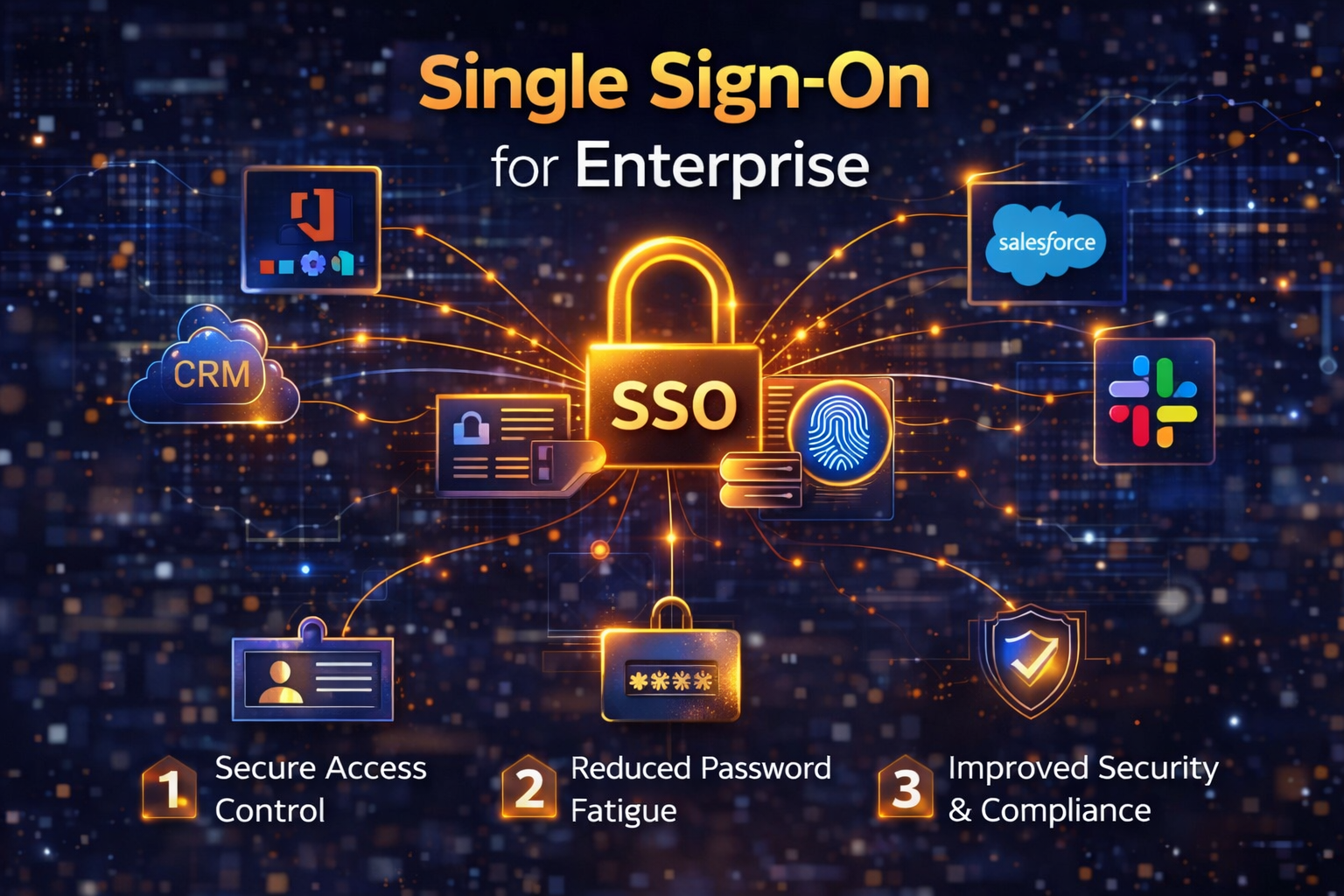
What Is Single Sign-On? A Clear Definition
Single sign-on (SSO) is an authentication method that allows users to log in once with a single set of credentials and gain access to multiple applications and systems without being prompted to authenticate again for each one. Once authenticated, the user’s identity is confirmed by a central identity provider (IdP) and communicated to every connected application (called a service provider, or SP) for the duration of the session. In practice: an employee arrives at work, opens their laptop, and authenticates once via password, MFA, biometric, or passkey. For the rest of their workday, every authorized application email, CRM, HR platform, development tools, cloud storage, analytics dashboards opens without another login prompt. The authentication has already happened. The identity provider has vouched for the user. The applications trust that voucher. This is not simply a convenience feature. It is a fundamental redesign of how identity and access are managed. Instead of each application maintaining its own credential store, applying its own password policies, and generating its own authentication logs, everything is centralized in the identity provider. Security policies are enforced once and applied everywhere. Audit logs capture all access events in one place. When an employee leaves the organization, deprovisioning happens at a single point not across dozens of individual applications where orphaned accounts routinely persist for weeks or months.The Problem SSO Solves: Why Credentials Are Your Biggest Vulnerability
To understand why enterprise SSO matters so much, you need to understand the specific ways credential sprawl the proliferation of separate usernames and passwords across dozens of applications creates security, operational, and compliance failures.The Security Failure: Credentials Are the #1 Attack Vector
Verizon’s 2025 DBIR confirmed credential abuse as an initial attack vector in 22% of security incidents. The mechanisms are well-documented and depressingly consistent: employees reuse passwords across work and personal accounts, so a breach of a consumer site yields enterprise credentials; employees create weak passwords to meet complexity requirements without actually remembering them; passwords are written down, shared, or stored insecurely; and phishing attacks capture credentials that function perfectly because there is no second factor. Ping Identity’s global survey of over 8,000 consumers found that 89% report frustration keeping track of their passwords. Frustrated users are insecure users. They reuse credentials. They choose memorable passwords over strong ones. They store them in spreadsheets and browser notes. Every one of these behaviors is a vulnerability, and with credential sprawl across 15, 20, or 30 enterprise applications, each employee is managing 15, 20, or 30 separate attack surfaces.The Operational Failure: Password Management Is Costing You Millions
$70–$100 the cost of a single manual password reset, per Forrester Research, including IT staff time, infrastructure costs, and lost employee productivity.
20–50% the proportion of all helpdesk calls that are password-related, per Gartner. In large enterprises, this can represent hundreds of thousands of dollars annually in IT overhead.
The productivity math extends beyond IT costs. Employees who switch between 10 applications per hour and must authenticate to each one are losing meaningful time. OLOID’s research estimates that employees save 5–10 minutes daily on password management after SSO deployment. For a 5,000-person organization at an average fully-loaded cost of $45 per employee hour, even five minutes per day represents over $3.4 million in recovered productivity annually. These are not theoretical numbers organizations implementing SSO consistently report these savings in post-deployment ROI analyses.The Compliance Failure: Credential Sprawl Creates Audit Gaps
GDPR, HIPAA, SOC 2, ISO 27001, and the EU AI Act all require organizations to demonstrate that access to sensitive data is controlled, auditable, and promptly revoked when no longer authorized. With credential sprawl across dozens of applications each with its own access logs, its own deprovisioning process, and its own admin controls, meeting these requirements is structurally difficult. Orphaned accounts, where former employees retain active credentials in one or more applications, are a particularly common compliance finding. SSO solves this by creating a single access control and audit layer: revoke the SSO identity, and access to every connected application is revoked simultaneously.How SSO Works: The Technical Architecture Explained Simply
Understanding SSO’s architecture helps enterprise leaders make better decisions about implementation, vendor selection, and integration. The explanation does not require deep technical knowledge but the concepts are important.The Core Components
- Identity Provider (IdP): The central system that authenticates users and stores identity information. This is the trusted source of truth for who someone is and what they are allowed to access. Common enterprise IdPs include Microsoft Entra ID (formerly Azure AD), Okta, Ping Identity, and Google Workspace.
- Service Provider (SP): Any application or system that users need to access Salesforce, Slack, GitHub, your internal tools, SaaS platforms, cloud infrastructure consoles. Service providers trust the identity provider to vouch for users rather than managing their own authentication.
- Authentication Token: When the IdP authenticates a user, it issues a cryptographically signed token essentially a digital voucher that the user presents to each service provider. The SP trusts the token because it trusts the IdP that issued it.
The Authentication Flow
The typical SSO authentication flow works like this: the user attempts to access an application; the application redirects to the identity provider; the IdP authenticates the user (via password, MFA, biometric, or passkey); the IdP issues a signed token confirming the user’s identity and access rights; the application receives and validates the token; access is granted. Subsequent applications the user accesses during the session receive the same token without requiring re-authentication until the session expires or the user explicitly logs out.SSO Protocols: SAML, OAuth, OIDC, and Kerberos Explained
Enterprise SSO deployments rely on standardized protocols that define how identity information is communicated between identity providers and service providers. Understanding which protocol is appropriate for which use case is essential for architects and IT leaders selecting an SSO solution.| Protocol | Best For | How It Works | Enterprise Relevance |
| SAML 2.0 | Enterprise web apps, B2B federated identity | XML-based standard. IdP issues signed XML assertions that SPs validate. Browser redirect-based flow. | Most common protocol for large enterprise SSO deployments. Dominant for legacy and on-premises applications. |
| OpenID Connect (OIDC) | Modern cloud/SaaS apps, mobile, APIs | Identity layer built on OAuth 2.0. Uses lightweight JSON (JWT) tokens. Supports social login and API access. | Preferred for modern cloud-native environments. Increasingly replacing SAML for new application integrations. |
| OAuth 2.0 | Authorization for API access and third-party integrations | Authorization framework (not authentication). Governs what applications can access on a user’s behalf. | Essential for any SSO deployment involving API integrations, mobile apps, or third-party service access. |
| Kerberos | On-premises Windows environments and legacy internal systems | Ticket-based protocol using a Key Distribution Center (KDC). Mutual authentication between user and service. | Foundational to Active Directory. Still critical for on-premises environments and hybrid deployments. |
| LDAP / Active Directory | Internal directory services and on-premises application authentication | Protocol for querying and modifying directory information. Powers Windows-integrated authentication. | Core component of most enterprise identity infrastructure. Typically used alongside SAML/OIDC for hybrid environments. |
💡 Practical Guidance: Most enterprises will use SAML 2.0 for existing applications and OIDC for new cloud-native integrations. Your SSO platform should support both natively. When evaluating vendors, confirm protocol support before committing missing protocol support for critical applications creates costly workarounds.
The Business Case for Enterprise SSO: By the Numbers
The business case for enterprise SSO is unusually strong across four dimensions simultaneously: security risk reduction, IT cost savings, employee productivity, and compliance posture. Here is the data behind each.Security: Fewer Credentials = Smaller Attack Surface
SSO does not eliminate the need for strong authentication it concentrates it at a single point where the strongest controls can be applied most efficiently. Rather than managing password policies across 30 applications with varying enforcement quality, the security team manages one set of policies at the identity provider and those policies apply everywhere. MFA, adaptive authentication, risk-based access controls, and session management are all enforced centrally. The credential surface reduction is quantifiable. Without SSO, a 500-person organization with 20 applications has up to 10,000 individual credential sets each a potential breach entry point. With SSO, that becomes 500 centrally managed identities. Attacks that succeed through credential stuffing, password spraying, or phishing against individual application logins become dramatically harder when the application layer no longer holds credentials to steal.IT Cost Savings: The ROI Is Measurable in Months
Gartner data shows that organizations implementing SSO reduce password-related helpdesk calls by up to 50%, with OLOID research citing 50–70% reductions in password-related support requests post-deployment. Using industry-standard cost figures:| Scenario | Before SSO | After SSO (50% reduction) | Annual Saving |
| 1,000-employee org, 1 reset/person/yr @ $70 | $70,000/yr in reset costs | $35,000/yr in reset costs | $35,000 |
| 5,000-employee org, 2 resets/person/yr @ $70 | $700,000/yr in reset costs | $350,000/yr in reset costs | $350,000 |
| 5,000-employee org, 5 min/day saved @ $45/hr | $937,500 in lost productivity | $468,750 in lost productivity | $468,750 |
| Total combined saving (5,000-employee org) | ~$818,750/yr |
Productivity: The Login Friction Tax Is Real
OneLogin research found that 68% of employees switch between ten apps every hour. Each application transition that requires re-authentication adds 30–90 seconds of friction. Across a workday, this accumulates into meaningful productivity loss particularly for knowledge workers who need seamless access to multiple platforms to do their jobs. The friction also induces workarounds: employees stay logged into applications longer than they should (session hijacking risk), use password managers with weak master passwords, or avoid using certain approved applications in favor of tools with simpler access (shadow IT risk). SSO removes the friction that drives all of these behaviors.Compliance: Centralized Identity Makes Audits Tractable
Without SSO, demonstrating compliance with access control requirements SOC 2, ISO 27001, HIPAA, GDPR, EU AI Act requires assembling access logs from dozens of individual applications, coordinating access reviews across multiple admin teams, and manually verifying that deprovisioning happened correctly across every system. With SSO, the identity provider generates centralized, immutable logs of every authentication event across all connected applications. Access reviews are conducted at the identity layer. Deprovisioning is atomic revoke the identity, and all access is immediately revoked. Compliance audits that previously required weeks of manual effort become straightforward data exports.SSO vs. MFA vs. Zero Trust: How They Work Together
SSO is frequently discussed alongside multi-factor authentication (MFA) and Zero Trust architecture, and understanding how these concepts relate and how they differ is essential for building a coherent identity security strategy.| SSO | MFA | Zero Trust | |
| Primary goal | Simplify & centralize authentication | Strengthen authentication security | Eliminate implicit trust across the environment |
| What it does | One login grants access to many apps | Requires multiple proofs of identity | Verify every access request regardless of source |
| Works alone? | Yes, but creates single point of failure without MFA | Yes, but creates login friction without SSO | No requires underlying auth infrastructure |
| Best used as | Foundation for enterprise access management | Paired with SSO at the identity provider layer | Architecture built on top of SSO + MFA |
The 7 Business Reasons Every Enterprise Needs SSO in 2026
Based on the research and the specific demands of the 2026 enterprise security landscape, here are the seven most compelling reasons enterprise leaders cite for SSO deployment beyond the fundamentals already covered.- Immediate employee offboarding: When an employee leaves voluntarily or involuntarily revoking their SSO identity immediately terminates access to every connected application simultaneously. Without SSO, offboarding requires manually deprovisioning each application, a process that routinely takes days and leaves orphaned accounts that represent active security risks.
- Reduced shadow IT: When employees can access all their approved tools easily through SSO, the incentive to seek unapproved alternatives decreases. RECO.ai’s research confirms that SSO deployments, when combined with a comprehensive SaaS management strategy, reduce shadow IT by making legitimate tools easier to access and manage.
- AI and agentic access governance: As enterprises deploy AI agents autonomous systems that access applications, databases, and APIs on behalf of users SSO becomes the control layer for governing what those agents can access. Without centralized identity management, AI agent permissions are fragmented and unauditable. With SSO integrated into AI governance, access permissions for AI systems are managed with the same rigor as human identities.
- Remote and hybrid work security: The shift to remote and hybrid work has expanded the enterprise access perimeter to include personal devices, home networks, and public Wi-Fi. SSO with MFA provides a consistent, strong authentication layer regardless of where employees are accessing corporate resources from maintaining security without requiring VPN or other network-level controls that degrade performance.
- Faster, more secure onboarding: New employee onboarding that previously required IT to provision accounts in 15–30 individual applications is replaced by a single identity provisioning action in the IdP. With SCIM (System for Cross-domain Identity Management) automation, provisioning and deprovisioning can be triggered directly from HRIS systems reducing onboarding time from days to hours and eliminating provisioning errors.
- Real-time threat detection: When all authentication events flow through a central IdP, anomalous login patterns logins from unusual locations, access to applications outside normal hours, rapid switching between sensitive systems are detectable and alertable in real time. Without SSO, these signals are scattered across dozens of individual application logs that are rarely correlated.
- Regulatory compliance readiness: The EU AI Act, GDPR, HIPAA, SOC 2, and ISO 27001 all include requirements for access control, audit logging, and access revocation. SSO provides the foundational infrastructure to meet these requirements consistently making compliance not a periodic audit scramble but a permanent operational state.
SSO Implementation: The Pitfalls That Undermine Most Rollouts
SSO implementation failures share common patterns. Understanding them before you deploy is far less expensive than correcting them after.- Deploying SSO without MFA: SSO creates a single high-value authentication target. Without MFA as a second layer, a compromised SSO credential grants access to every connected application simultaneously a significantly worse outcome than isolated password compromise. Never deploy SSO without MFA.
- Failing to account for legacy applications: Not all enterprise applications support modern SSO protocols natively. Legacy systems may require LDAP integration, credential vaulting, or proxy-based authentication. Inventorying all applications and their protocol support before selecting an SSO platform prevents costly integration surprises mid-deployment.
- Insufficient fallback and redundancy planning: SSO creates a single authentication dependency. If the IdP experiences downtime, employees cannot access any connected application. High-availability architecture, geographic redundancy, and documented emergency access procedures are essential. Every SSO deployment needs a tested fallback plan.
- Vendor lock-in without exit planning: CISA identifies implementation lock-in as a significant SSO risk for smaller organizations. Before committing to an SSO platform, understand your contractual obligations, data portability options, and what migration to an alternative platform would entail. Choose platforms with strong standards support (SAML, OIDC) to maximize portability.
- Over-privileged SSO sessions: SSO should be implemented with the principle of least privilege not as a universal access token. Role-based access controls should be integrated into the SSO architecture from day one, ensuring that authentication through SSO grants access to the specific applications each user role requires, not everything the organization has connected to the IdP.
- Neglecting session management: Long-lived SSO sessions that do not require periodic re-authentication create risk, particularly for sensitive applications. Implement adaptive session policies that require step-up authentication for high-risk applications or unusual access patterns balancing productivity with security.
Enterprise SSO Best Practices: 8 Steps to a Secure Deployment
Based on the research, expert guidance, and the specific security demands of 2026, here are the eight best practices that distinguish SSO deployments that strengthen enterprise security from those that simply redistribute risk.- Mandate MFA at the IdP layer from day one: There is no security justification for SSO without MFA. Deploy them together, using phishing-resistant MFA methods (FIDO2, hardware security keys, or authenticator apps) rather than SMS-based OTPs, which are vulnerable to SIM-swapping attacks.
- Build a complete application inventory before selecting a platform: Know every application you need to integrate cloud SaaS, on-premises systems, custom-built tools, and partner/vendor portals before evaluating SSO platforms. Protocol support requirements, legacy system needs, and integration complexity should drive vendor selection, not marketing materials.
- Integrate SSO with your HRIS for automated provisioning and deprovisioning: Connect your identity provider to your HR information system so that employee joins, moves, and departures automatically trigger provisioning and deprovisioning events. This is the single highest-impact practice for preventing orphaned accounts the leading cause of compliance failures in access management.
- Implement role-based access controls (RBAC) from the start: Define access roles before deployment, not after. Map each role to the specific applications it requires. Apply least-privilege principles rigorously. Roles that are too broad will be exploited either by attackers who compromise a low-privilege account or by insider threats who exceed their legitimate access.
- Design for high availability and tested fallback: Architect your IdP for geographic redundancy and high availability. Document and test emergency access procedures including break-glass accounts and direct application access methods for critical systems so that IdP downtime does not become a business continuity event.
- Configure adaptive authentication for risk-sensitive scenarios: Modern SSO platforms support risk-based authentication policies that trigger step-up verification when access patterns are anomalous logins from new devices, unusual locations, outside normal hours, or access to highly sensitive applications. These policies add security without adding friction to routine access.
- Monitor SSO activity continuously and set up alerts: Centralized authentication creates a goldmine of security signal. Configure real-time alerting for failed authentication spikes (potential credential stuffing), impossible travel events (account compromise indicators), and access to sensitive applications outside approved hours. Feed SSO logs into your SIEM for correlation with other security events.
- Conduct quarterly access reviews: Role assignments drift over time. Employees change responsibilities; applications change; organizational structures evolve. Quarterly reviews of who has access to what conducted through your SSO platform’s access review capabilities catch privilege creep before it becomes a compliance finding or an exploitable over-permission.
Choosing an Enterprise SSO Platform: What to Evaluate
The enterprise SSO market is mature and competitive. The leading platforms Microsoft Entra ID, Okta, Ping Identity, OneLogin, Google Workspace Identity, and Cisco Duo each have distinct strengths. Here is a framework for evaluation rather than a product ranking, since the best platform depends entirely on your existing infrastructure, application mix, and organizational requirements.| Evaluation Criterion | What to Look For |
| Protocol support | Native SAML 2.0, OIDC, OAuth 2.0, WS-Federation, and SCIM. Kerberos and LDAP for hybrid/on-premises environments. Broad protocol support minimizes integration workarounds. |
| Application catalog depth | Pre-built integrations with the SaaS applications your organization uses. Okta supports 7,000+ integrations; OneLogin 6,000+. Breadth of the catalog significantly reduces integration effort. |
| MFA capabilities | Support for FIDO2/WebAuthn, authenticator apps, hardware security keys, and adaptive (risk-based) MFA. Avoid platforms where SMS OTP is the only MFA option. |
| Provisioning automation | SCIM support for automated provisioning/deprovisioning, HR system integration (Workday, BambooHR, SAP), and just-in-time (JIT) provisioning for new application access. |
| Access governance | Role-based and attribute-based access control, access certification/review workflows, and privileged identity management for admin account governance. |
| Audit and compliance | Immutable, exportable audit logs covering all authentication events. Pre-built compliance reports for SOC 2, ISO 27001, HIPAA, and GDPR. SIEM integration for log forwarding. |
| High availability | Documented uptime SLAs (99.99%+ for enterprise), geographic redundancy, and clear fallback/emergency access procedures. |
| Total cost of ownership | Per-user pricing models, implementation costs, ongoing support, and the cost of integrating legacy applications. Calculate ROI based on your specific reset volume and breach risk profile. |
SSO in the Age of AI: Why Identity Governance Matters More Than Ever
The rise of enterprise AI, particularly agentic AI systems that autonomously access applications, APIs, and data sources makes SSO and centralized identity management more important, not less. Traditional SSO was designed for human users. The 2026 enterprise must extend its identity governance framework to cover non-human identities: AI agents, automated workflows, service accounts, and API integrations. The failure to govern AI agent identities through the same framework as human identities creates the exact credential sprawl problem that SSO was designed to solve but with higher stakes. An AI agent with over-privileged, unmonitored access to enterprise systems can exfiltrate data, take actions that violate policies, or be manipulated through prompt injection to act as an insider threat. Centralizing AI agent identity management through the SSO/IdP layer with least-privilege access controls, behavioral monitoring, and automated deprovisioning is the natural extension of SSO governance into the AI era.🔒 AccuroAI Insight: As enterprises build out their AI governance frameworks, SSO integration is a foundational requirement not an optional add-on. Every AI system that accesses enterprise resources should be authenticated through the same identity layer as human users, with the same access controls, audit logging, and deprovisioning processes. Governing AI identities through your existing SSO infrastructure is the most efficient path to compliant AI deployment.